The photo dump maker for your camera roll.
SelfieDump finds the photos worth posting, groups the ones that belong together into Dumps, and helps you finish the post with carousel order, AI Collage and AI Caption. No more scrolling for the one good pic — your camera roll is sorted right on your device.
We don't upload your camera roll.
Photo discovery, organization, and similarity analysis run on your device. Only the photos you explicitly select for AI Collage or AI Caption are sent to a third-party AI provider to complete that request.
Your photo dump in three steps
Grant Photos access, your way
Give full access or Apple's limited selection — SelfieDump only ever sees what you allow.
Get your Dumps
On-device analysis groups trips, nights out, fits, and selfies into ready-made Dump Collections.
Pick, order, post
Follow a carousel suggestion or make an AI Collage, add a caption, then save it or share it to Instagram — or anywhere — through the iOS share sheet.
First dump? Read how to make a photo dump, step by step, see the current SelfieDump challenges, or try the browser demo.
Everything you need to make a photo dump
A camera roll organizer that thinks in posts, not folders — from the first sort to a finished photo dump, with the sorting kept on your device.
Dump Collections
Your camera roll, grouped into Dumps by trip, occasion, fit, or vibe — each one a photo dump that's basically ready to post.
Top Vibes
Standout shots from your library, ranked on your device by sharpness, light and how clearly they fit a vibe, with near-duplicates left out.
Carousel Suggestions
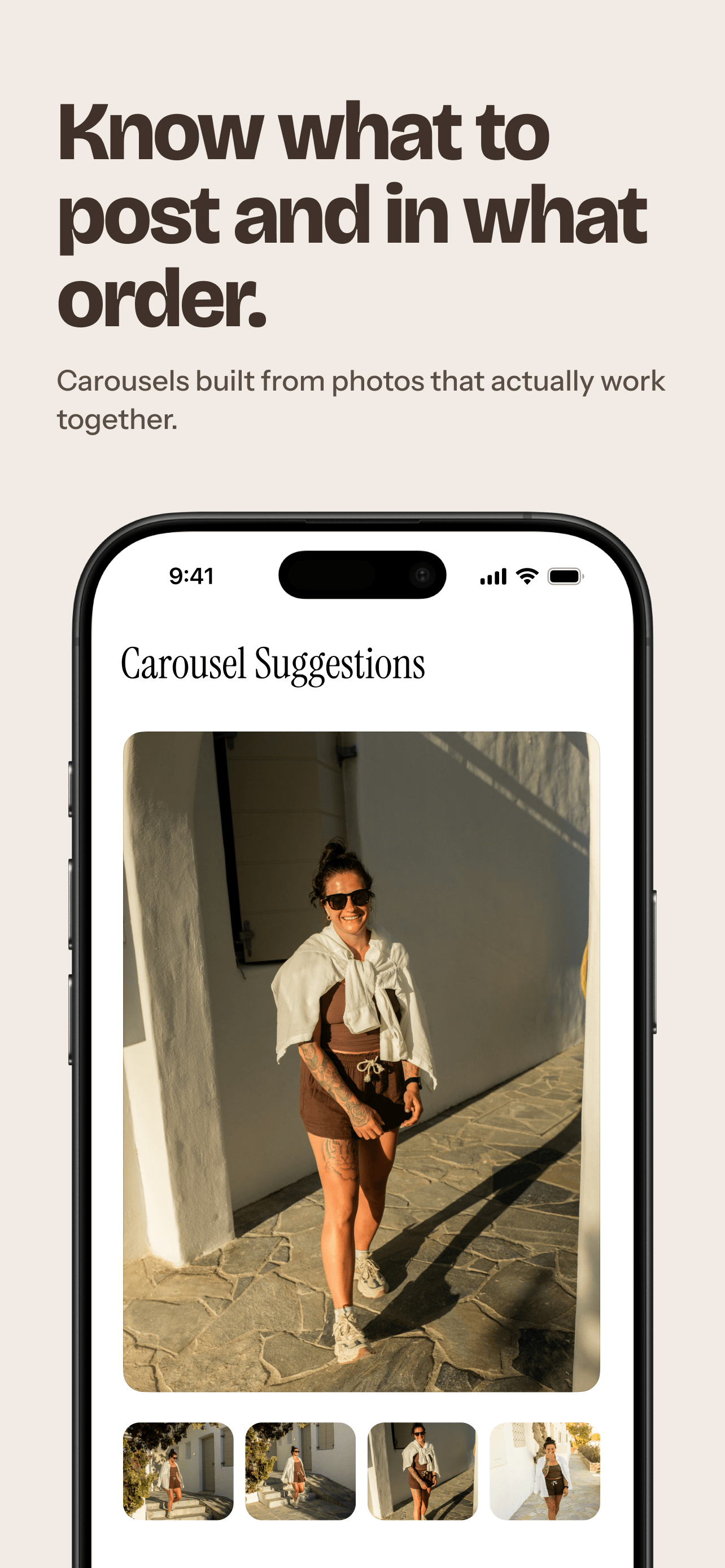
Photos that actually work together, with ideas for what to post and in what order — so the carousel flows from the first swipe.
Selfie grouping
Forty near-identical mirror selfies? Similar shots are grouped on your device so you can pick the best one for a selfie dump — never identified or named. How to make a selfie dump
AI Collage
Pick 2 to 12 photos, choose a square or 9:16 Story format, and let AI build the collage. How AI Collage works
AI Caption
Pick a photo, choose a vibe and a language, and get caption ideas to copy, share, or regenerate.
AI Collage and AI Caption use only the photos you pick — and you start every request.
Discovery, Dump Collections, carousel suggestions, and photo analysis all run on your device. AI Collage and AI Caption use third-party AI models, so the photos you select for that request are sent to the AI provider that handles it.
- Your choice, every time. Nothing is sent until you start an AI Collage or AI Caption.
- Only the selected photos. The rest of your library stays put. Once an AI Collage is made, a smaller copy of the finished collage is sent to OpenAI for caption ideas.
- Never your current location. To give the collage context, an AI Collage request can include when and where the selected photos were taken — but never where you are now.
- Not stored on our servers. Selected photos go directly to the AI provider. The Privacy Policy lists which providers are used.
From camera roll to photo dump, screen by screen.
Here's what happens inside the app, from the first sort to a caption-ready post.
-
01 / 06
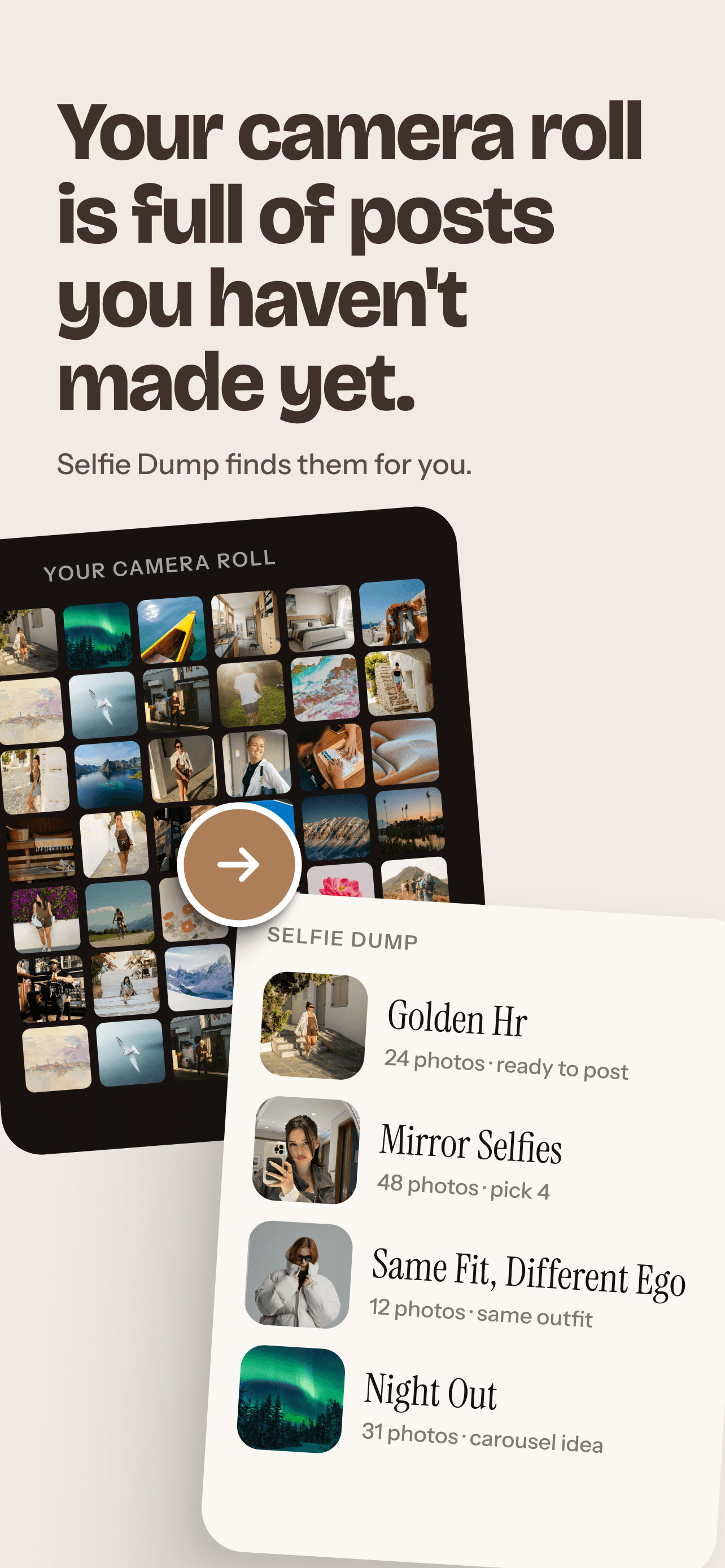
Your camera roll is already full of posts.
SelfieDump quietly sorts it into ready-to-post Dump Collections.
-
02 / 06
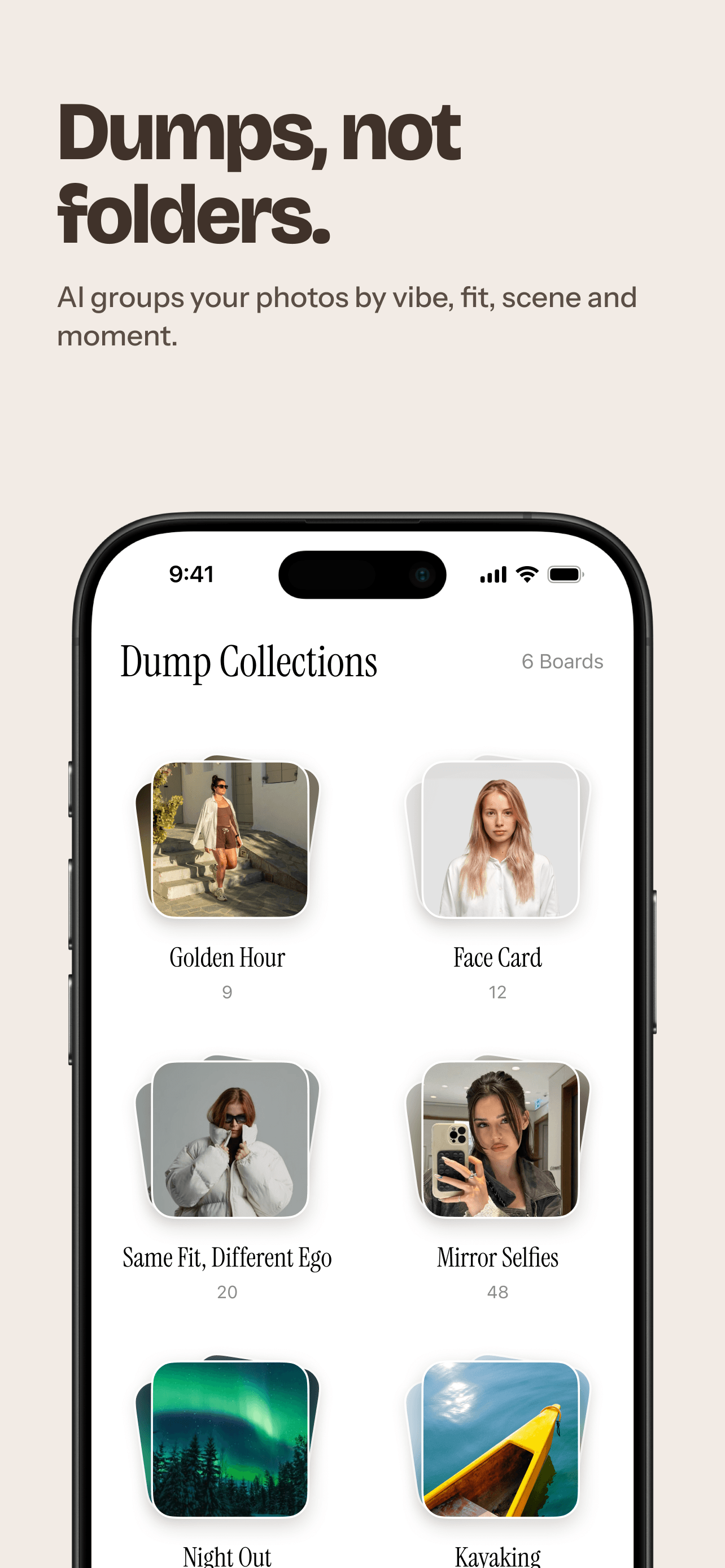
Dumps, not folders.
On-device analysis groups your photos by vibe, fit, scene, and moment — automatically.
-
03 / 06
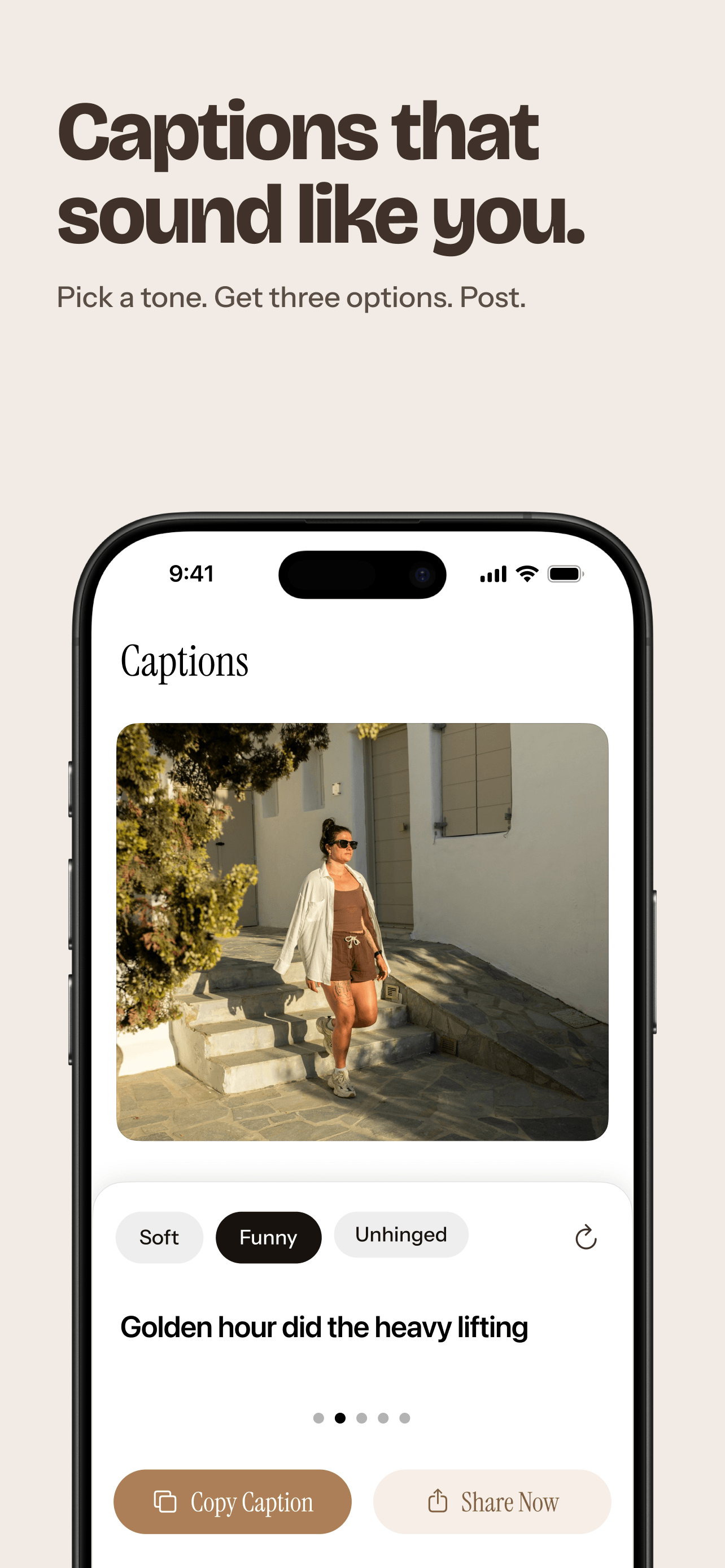
Captions that sound like you.
Pick a vibe and a language, then copy or share the caption you like.
-
04 / 06
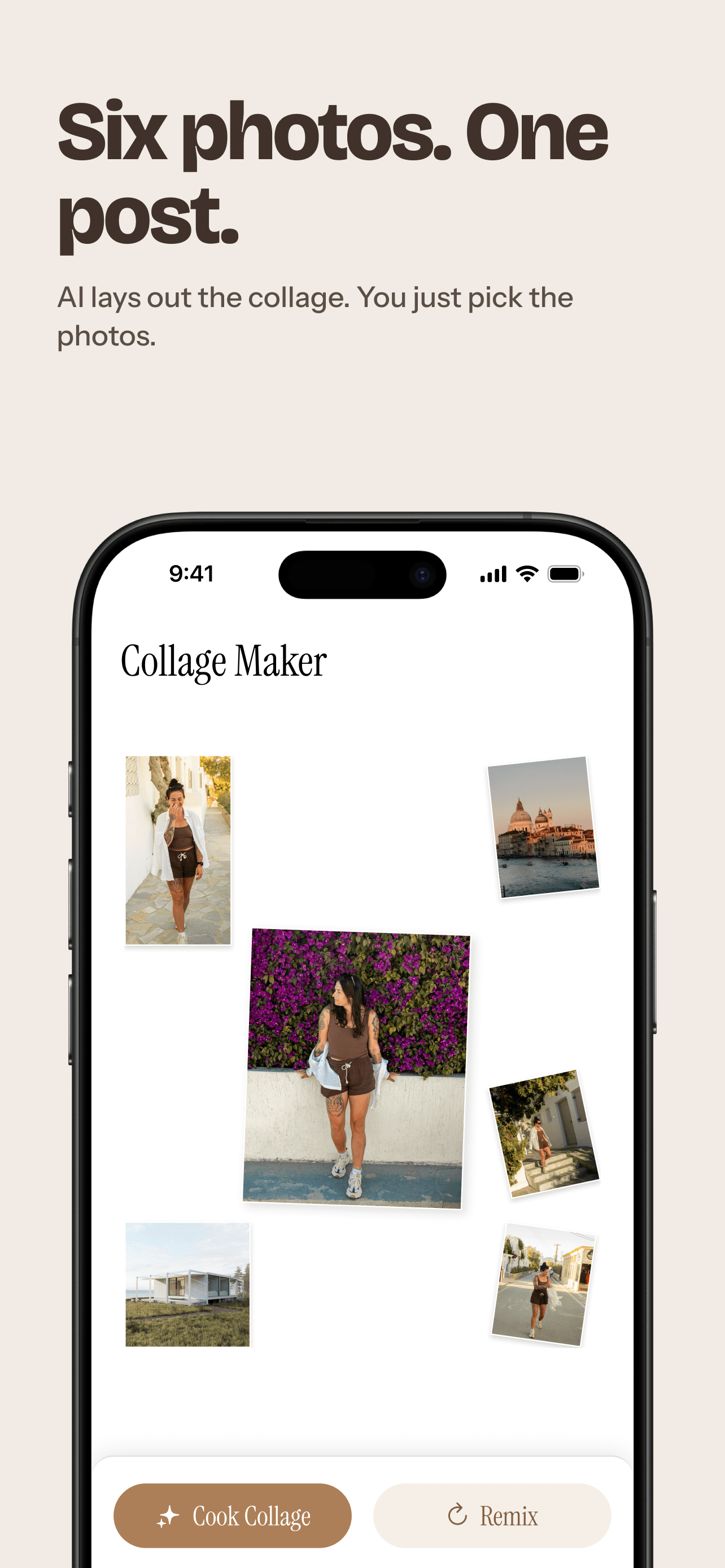
A few photos. One post.
Choose 2 to 12 shots — AI builds the collage for you.
-
05 / 06
Know what to post, and in what order.
Carousel Suggestions sequence photos that actually work together.
-
06 / 06
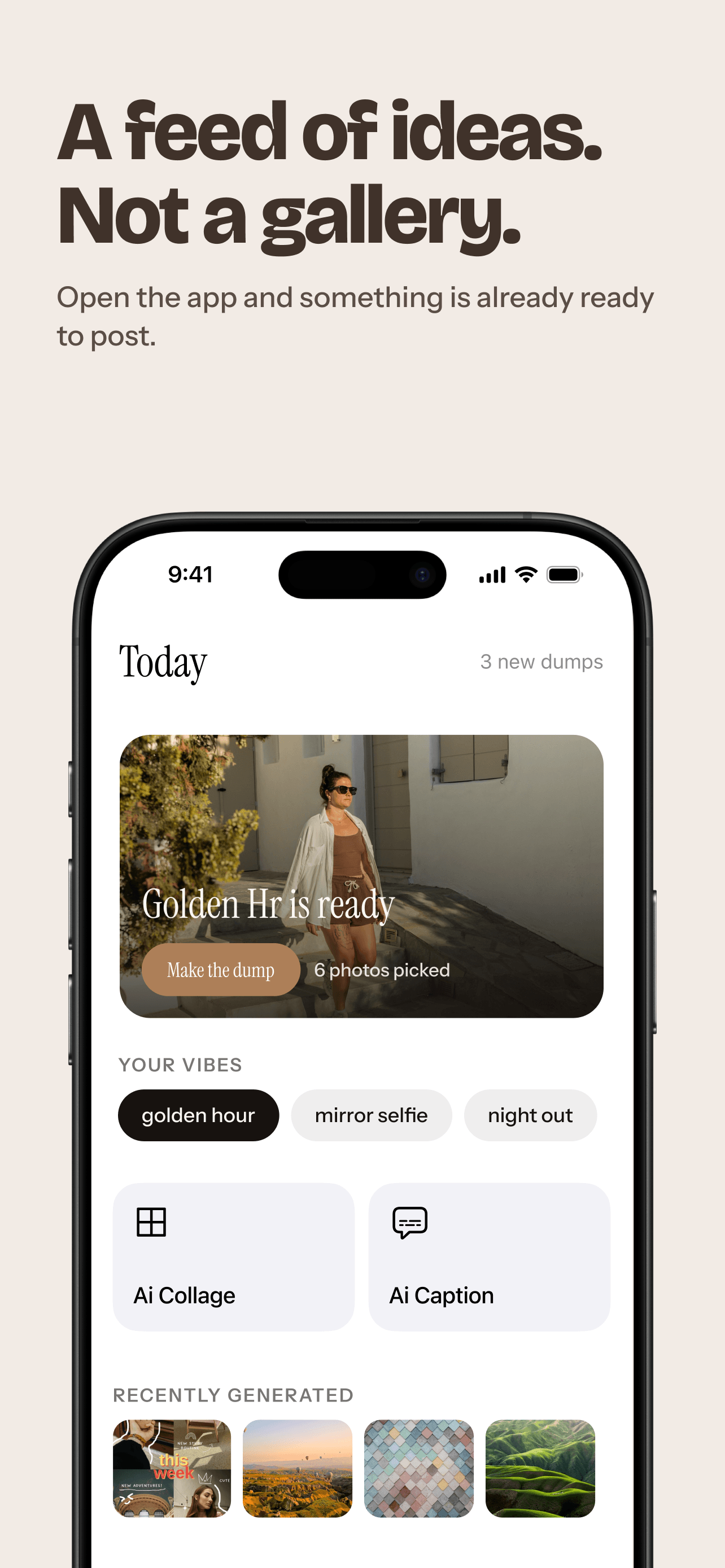
A feed of ideas, not a gallery.
Open the app and a dump is already picked, with shortcuts to AI Collage and AI Caption.


Simple pricing
Free to sort your camera roll and try the AI tools. Pro for weekly collages, unlimited captions and the full set of dumps.
Free
- On-device camera-roll organization
- Limited Dump Collections
- Carousel suggestions
- 2 AI Collages to try
- 1 AI Caption to try
Pro Weekly
- 4 AI Collages every week
- Unlimited AI Captions
- Full Dump Collections
- AI picks of your best shots
- Stronger carousel orders with AI rankings
Pro Yearly
- Everything in Pro Weekly
- Same 4 AI Collages every week
- Unlimited AI Captions
- Save about 86% vs. Weekly
Free includes 2 AI Collages and 1 AI Caption without a subscription. Pro includes 4 AI Collage generations every week on both Weekly and Yearly plans; unused generations don't carry over. Prices are in USD and may vary by region. Subscriptions are completed through the App Store, and any free trial for eligible users is shown before you subscribe.
Before you download
A photo dump is a casual post — usually an Instagram carousel — that bundles a bunch of photos from a trip, a weekend, a night out, or a whole month. The hard part is digging through your camera roll for the right set. SelfieDump finds those sets for you, suggests an order, and can add a collage and caption. Read the full photo dump guide.
No. Discovery, organizing, and similarity analysis all run on your device. Photos only leave your device when you select them for AI Collage or AI Caption — then just those photos are sent to the third-party AI provider handling that request, and a finished AI Collage is sent to OpenAI for caption ideas.
Camera-roll sorting, a limited set of Dump Collections, and carousel suggestions are free. You can also make up to 2 AI Collages and 1 AI Caption without a subscription. Pro adds 4 AI Collages every week, unlimited AI Captions, and the full set of Dump Collections.
It can. To give the collage context, an AI Collage request can include when and where the selected photos were taken, as a date and a place name or coordinates. It only covers photos you picked for that collage and is never your current location. The Privacy Policy explains how this works.
No. You save your dump, collage, or caption to Photos or share it through the iOS share sheet, then post it from the app you choose.
SelfieDump works with whatever Apple makes available — your full library or a limited selection. You can change this anytime in iOS Settings.
Yes. You can clear it anytime from Settings inside the app. Deleting the app removes the locally stored analysis data entirely, as with other iOS app data.
No. Photos, facial-similarity data, and photo-location metadata are never sold and are never used to build advertising profiles.